The fastest dictation app for macOS & Windows
Crafted for instant response. Ready in ~170ms. See your voice as a waveform. Text appears as you speak. Works with Deepgram, Groq, OpenAI — or 100% offline.
Built for speed and focus
Every detail designed to respect your focus. Native apps for macOS and Windows, built with obsessive attention to the moments that matter — the instant you start speaking, the feedback while you talk, the silence when you're done.
Press your hotkey and start speaking immediately. Parallel initialization means zero waiting — because every millisecond of delay breaks your flow.
With Deepgram streaming, text appears as you speak — not after. See your words form in real-time.
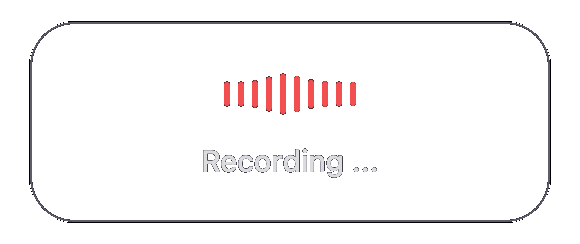
A waveform overlay shows you're being heard — because a spinner tells you nothing. Clear status colors for every state.
Optional LLM post-processing adapts to email, chat, or code — because how you write depends on where you write.
Why these details matter
We use PulseScribe every day. Every choice exists because we needed it.
So you know you're being heard
So you always know what's happening
So nothing breaks your flow
No feature bloat. No 'maybe useful' additions. Just what makes dictation feel instant and reliable.
Dictation that just works
Pro is the zero-friction path: no API keys to manage, no usage tracking, one predictable bill. We handle the infrastructure so you can focus on what matters — your words.
Beta note: features may evolve. We'll keep this page updated.
- •Just works — no API keys or setup
- •Predictable €9/mo for unlimited dictation
- •Priority support during beta
- •Early access to new features
Pricing
Start free with your own API keys or local Whisper. Upgrade to Pro when you want zero setup.
Full power, bring your own keys or go offline.
- •All providers: Deepgram, OpenAI, Groq, local
- •~170ms ready, streaming preview, waveform overlay
- •Context-aware refine + voice commands
Zero friction. We handle everything.
- •Just works — no API keys or tracking
- •Unlimited dictation, one bill
- •Priority support + early access
FAQ
Built-in dictation is basic and slow. PulseScribe gives you ~170ms ready time, live waveform feedback, streaming text preview, choice of providers (Deepgram/Groq/OpenAI/local), and context-aware post-processing. It's built for people who dictate a lot.
You control where your audio goes. Use local Whisper for 100% offline processing — your voice never leaves your device. With cloud providers, audio goes directly to them via your own API keys. We never see or store your audio.
Ready in ~170ms after pressing your hotkey. With Deepgram streaming, transcription latency is ~300ms — text appears as you speak, not after you stop.
For the open-source version: yes, bring your own keys (Deepgram offers $200 free credit). For 100% offline use: no keys needed, just local Whisper. PulseScribe Pro handles keys for you.
Yes. On macOS, local Whisper with MLX runs entirely on your Mac (Apple Silicon recommended). On Windows, use the Local installer with CUDA Whisper for NVIDIA GPUs. No internet, no API keys, no data leaving your device.
macOS and Windows. Both have native apps with system tray integration, global hotkeys, animated overlays, and auto-paste. Linux is on the roadmap.
We use PulseScribe every day. Every feature exists because we needed it — waveform feedback because spinners are useless, ~170ms ready time because waiting breaks focus, status colors because uncertainty is frustrating. No feature bloat, no 'maybe useful' additions. Just what makes dictation feel instant and reliable.
Get PulseScribe
Download the free open-source app for macOS or Windows. Start dictating in under 2 minutes.
Choose API-only for cloud transcription or Local for offline CUDA Whisper.
macOS: Not notarized yet. If blocked, see the setup guide for a quick fix.